Leer en español: Cuatro herramientas para Capture One: apilado, grano, revelado de película y sistema de zonas
Capture One is very good at developing raw files, but there are things it cannot do. It does not combine a sequence of photos into one, it knows nothing about the grain of Tri-X or the way Kodachrome compressed the highlights, and it does not tell you which zone each part of the image falls in. To fill those gaps I wrote four tools that install in its Scripts menu.
All four work the same way. They export the selected variants as 16-bit TIFF with all your adjustments applied, process them with a Python program and bring the result back into the open document; the zone map, being an analysis, opens in Preview. You never leave Capture One. They are free and open source under the MIT licence, and they need a Mac with Capture One Pro, because the scripted processing command only exists in that edition.
Temporal stack
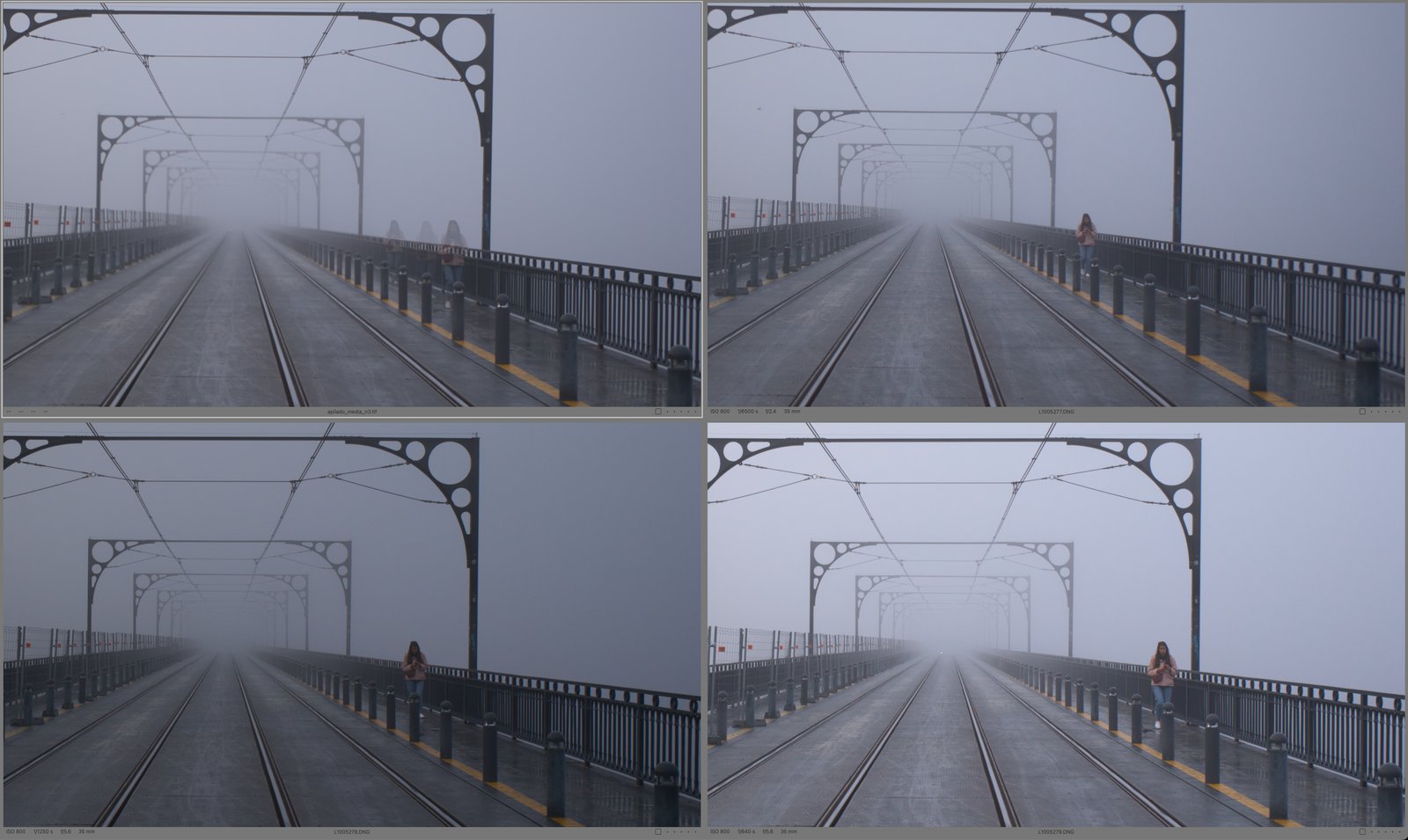
The first one combines, pixel by pixel, a sequence shot from the same spot with the operator of your choice. The mean gives a long exposure without an ND filter: the mean of N frames is equivalent to an exposure spanning the whole sequence, apart from the gaps between shots. The median erases whatever passes through, because a pedestrian covers each pixel in only a few frames and, as long as that is fewer than half, the median keeps the background. The sigma-clipped mean removes the same things with less noise: at each pixel it discards the values that stray from the median and averages the rest. Maximum builds up light trails and star trails, and minimum does the opposite.
There is a sixth operator, a mean weighted with a Hann window. The plain mean is equivalent to a shutter that opens and closes abruptly; the Hann window gives less weight to the first and last frames, so the trail of anything that moves fades out at its ends instead of stopping dead.
Everything is computed in linear light. A long exposure adds up light, and light adds up linearly. If you average the values in the file, which carry the gamma curve, highlights that mix with dark areas come out duller than they would in a real one-minute exposure. The program undoes the curve before combining and applies it again at the end. It finishes with a comparison sheet of all the operators you ticked.
Aligning before stacking
On a tripod there is no need. But a knock on the tripod, a head that sags over two minutes or a hand-held sequence is enough for a few pixels of drift to smear every edge, which is why the program can register each frame against the first one before combining them.
It uses ECC (enhanced correlation coefficient), which fits a geometric transform by maximising the correlation between the two images. It works with every pixel instead of looking for feature points, so it also copes with low-texture scenes. It solves the fit on a three-level pyramid, starting from a phase-correlation estimate of the shift on a small copy, so that it converges even when the frames have moved quite a lot.
You choose the model: rotation and shift for a tripod that has moved, or full perspective, a homography, for a hand-held sequence. It reaches perspective in steps (rotation and shift first, then affine, then homography) and each step is kept only if it improves the correlation and the warp stays reasonable. Fitting all eight parameters at once tends to end in absurd distortions.
What matters most is the region you align on: the whole image, the upper half, the lower half, a central band or a custom rectangle. If there is water, cloud or people inside it, the registration will try to follow them. At the end the result is cropped to the largest rectangle in which every frame has data.
One limit remains that no registration can solve: parallax. In a hand-held sequence with a close foreground, near and far objects shift by different amounts, and a single transform cannot correct both. Align on the part you care about.
Film grain
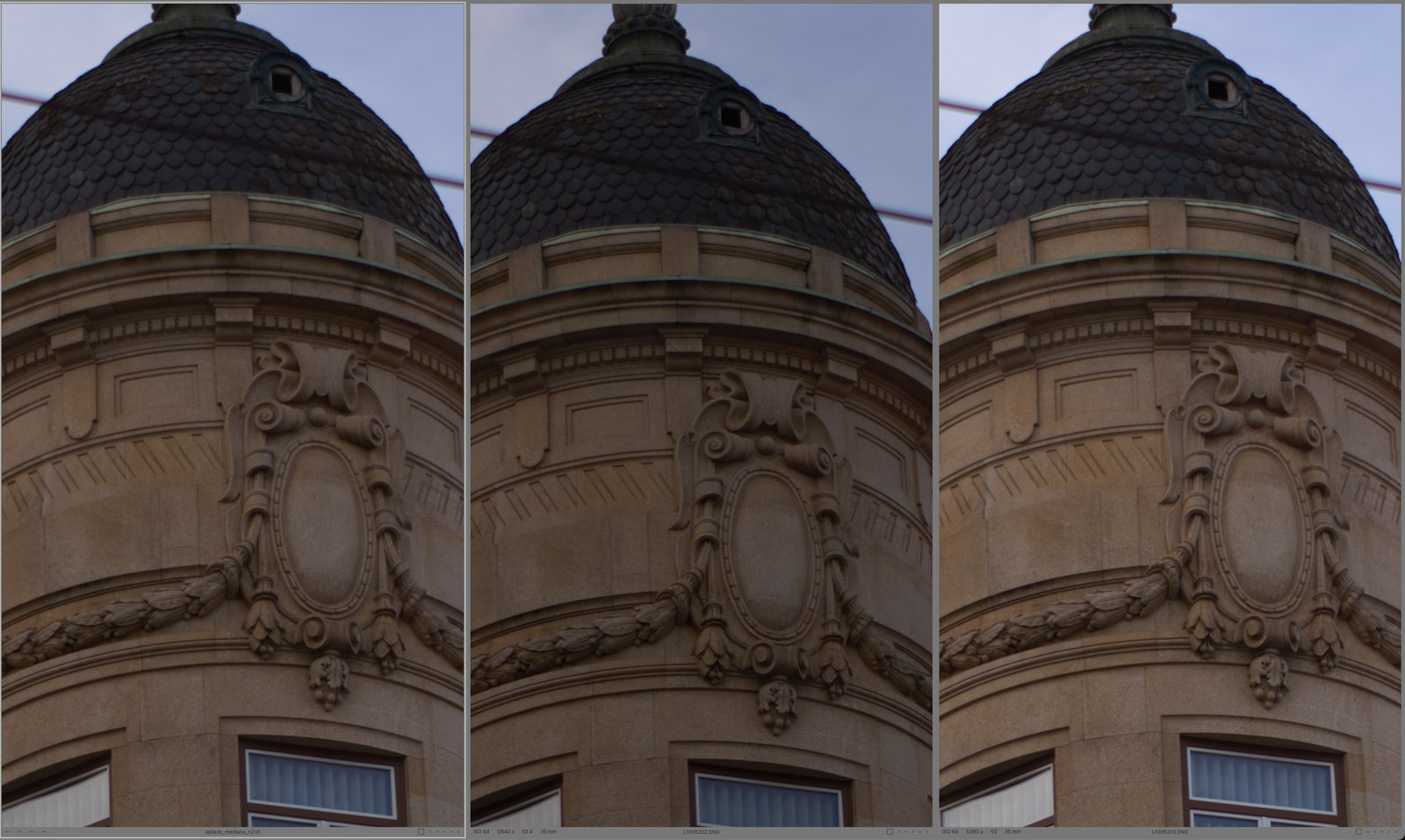
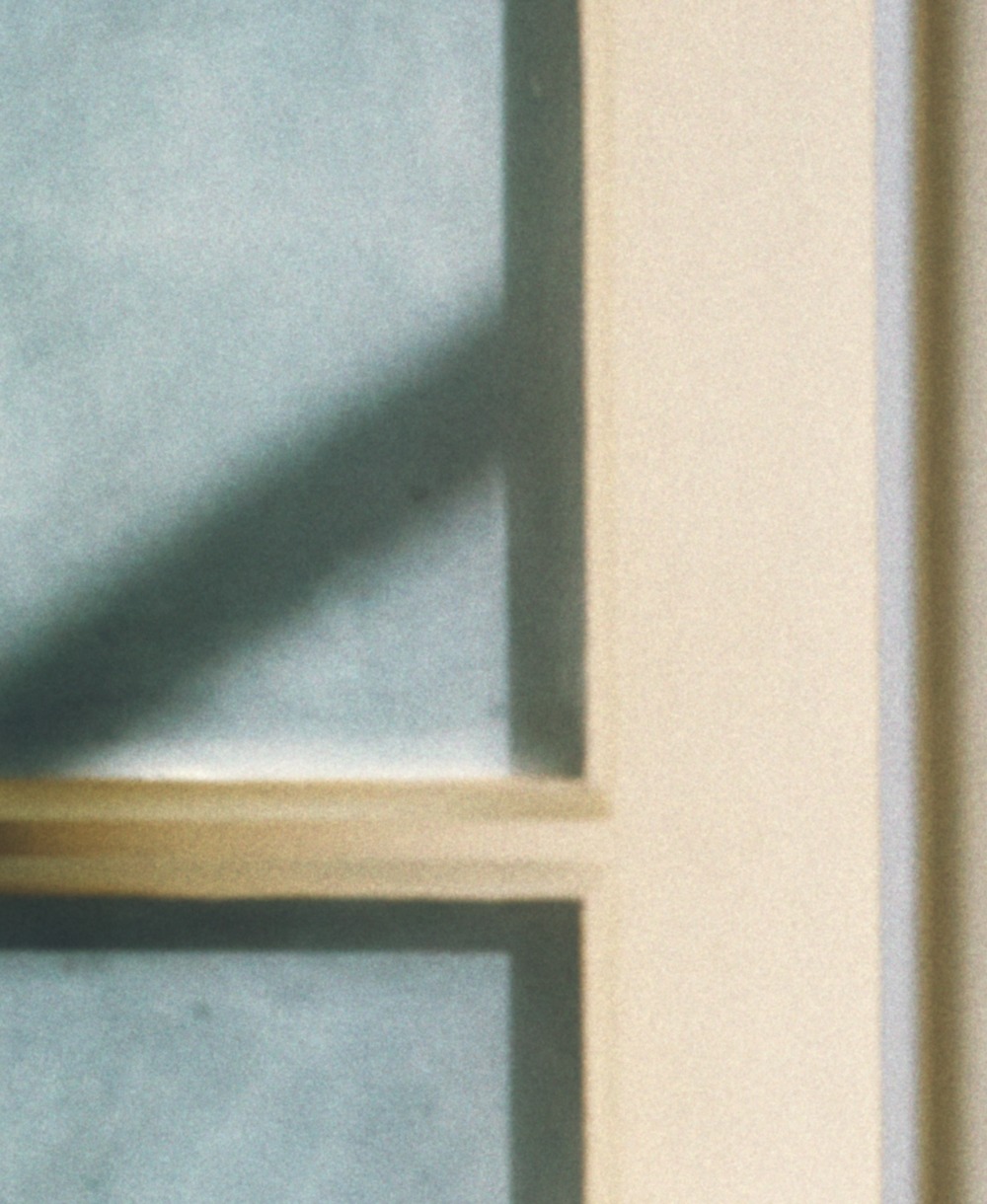
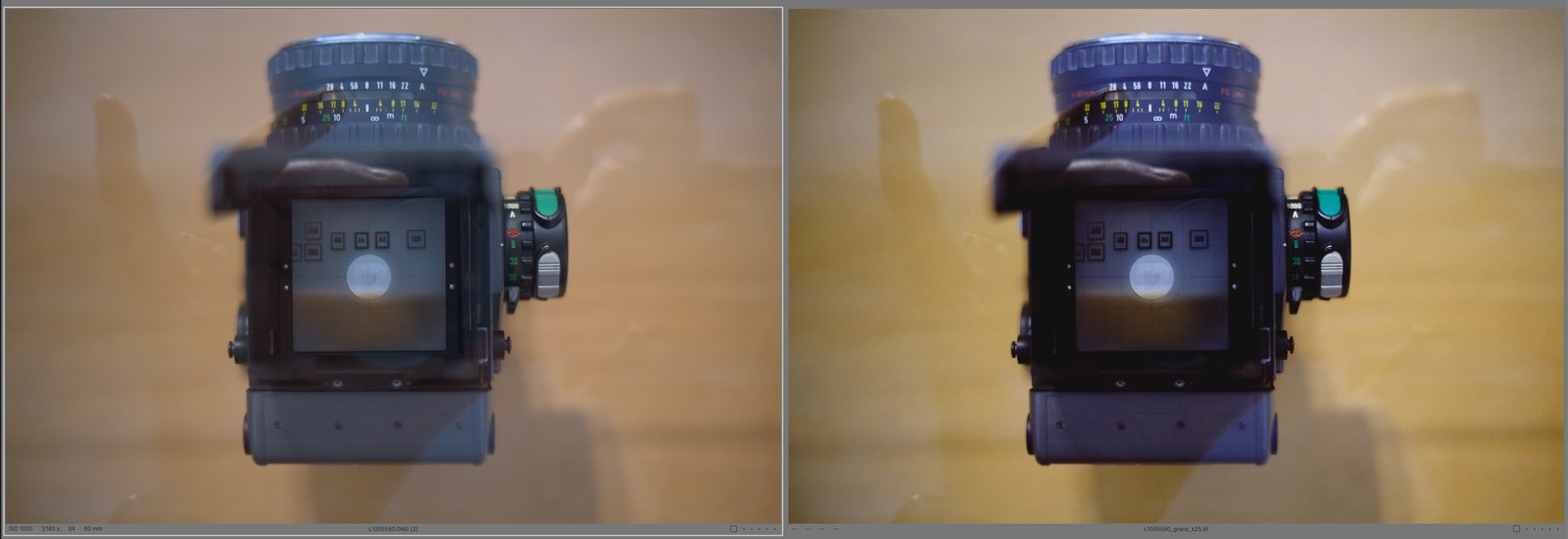
The second one adds the grain of five films: Tri-X, Kodachrome 64 and 25, Velvia 50 and Pro 400H. It is designed so that the grain has the size and strength it would have on the real film.
The amplitude is calibrated against the rms granularity in each film’s datasheet, which is measured with a 48 µm aperture at a density of 1.0. The program generates the grain, measures its own rms averaged over a 48 µm disc and scales it until it matches the datasheet. The size depends on the framing: a photo cropped to half is treated as half a frame enlarged, and the grain comes out proportionally larger, as when you enlarge that part of the negative.
It also depends on tone. In slides the fluctuation grows with density and drops near maximum black. In negative-and-paper systems, Pro 400H and Tri-X, the grain forms in the negative and reaches the print multiplied by the local slope of the paper, which cancels it in the whites and blacks and concentrates it in the midtones, as on a real print. Before adding it, the image goes through the MTF of the film: a 35 mm slide was never as sharp as a 60-megapixel sensor, and on an image sharper than the film the grain looks pasted on.
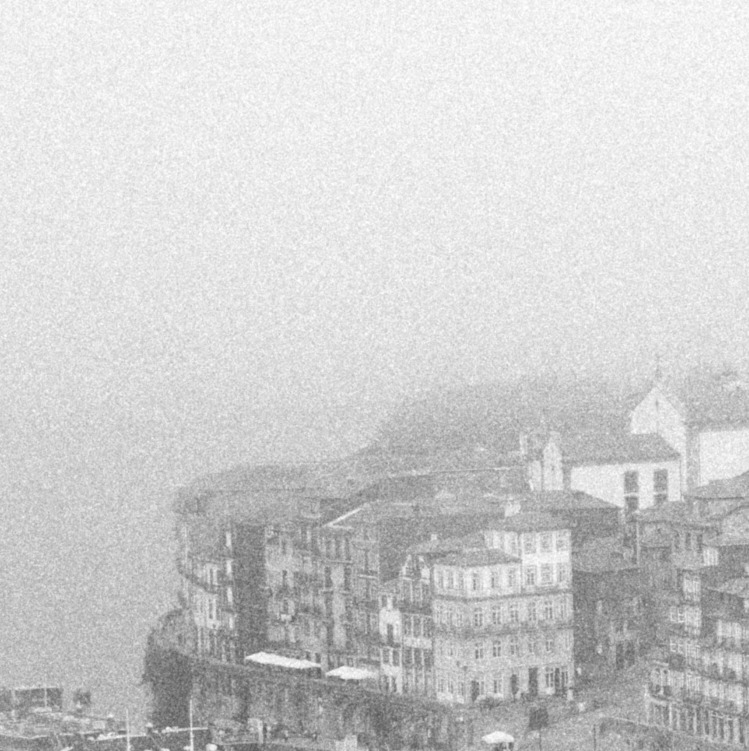
Grain is judged at 100 %. A viewer that downsizes the image with a poor filter turns fine grain into blotches.
Film development
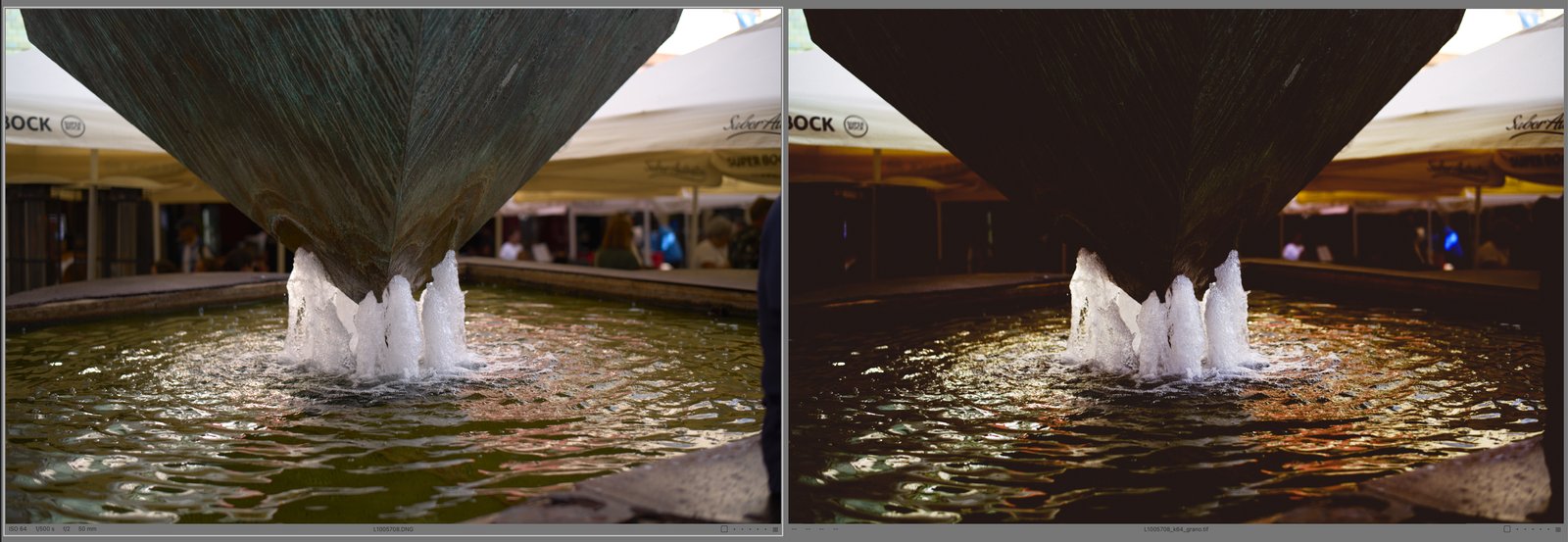
The third one develops the image with the spectral models I published in the lab as ICC profiles: Kodachrome 64 and 25, Velvia 50, Pro 400H on Endura paper and Tri-X developed in D-76 and printed on Multigrade IV at grade 2. Here the models are evaluated pixel by pixel, without going through the table of a profile.
The difference has to do with how each model is built. On one side are the characteristic curves of each layer, which are steep, with their toe, their shoulder and high local gammas. On the other is the spectral integral that turns dye amounts into colour, which is a smooth function. An ICC profile tabulates everything together, curves included, on a grid of 33 or 45 points per axis over the camera RGB. The program evaluates the exact curves at each pixel and tabulates only the smooth part, on a grid of 48 points per axis interpolated in log space. I measured the error of that table against the full integral over 200,000 colours: the mean difference is a few thousandths of ΔE*ab and the maximum stays below 0.09, far from anything the eye can see.
The other advantage is in the highlights. The input of an ICC profile is clipped at white, and a film has one to three stops of shoulder above diffuse white. When exporting, the script sets the curve to Linear Response and lowers the exposure by two stops, and the program gives those two stops back before applying the model. The film thus receives what lies above white and compresses it smoothly. When it finishes, the variant is left as it was.
With Tri-X you choose the toning of the print (neutral, cold, warm, sepia or selenium) and a colour filter in front of the lens. The filter is simulated on the spectral sensitivity of the film, which is multiplied by the transmittance of the filter, and its factor is compensated on a neutral grey, as when you opened up by what the factor said. The transmittances approximate those of Wratten 8, 15, 21, 25, 29, 11 and 47, and the resulting factors match the usual ones: one stop for yellow, 2.8 for red and 3.9 for deep red. With slides you choose where the result will be viewed, because a slide was meant to be projected in the dark, and on a monitor the contrast has to come down. At the end you can add the grain of the same film.
The ICC profile is still useful for editing, because it shows in real time. I edit with the film profile to see where the image is going, switch back to the normal camera profile and do the final development with the script. If it detects a film profile it stops, so as not to apply the film twice.
Zone system map
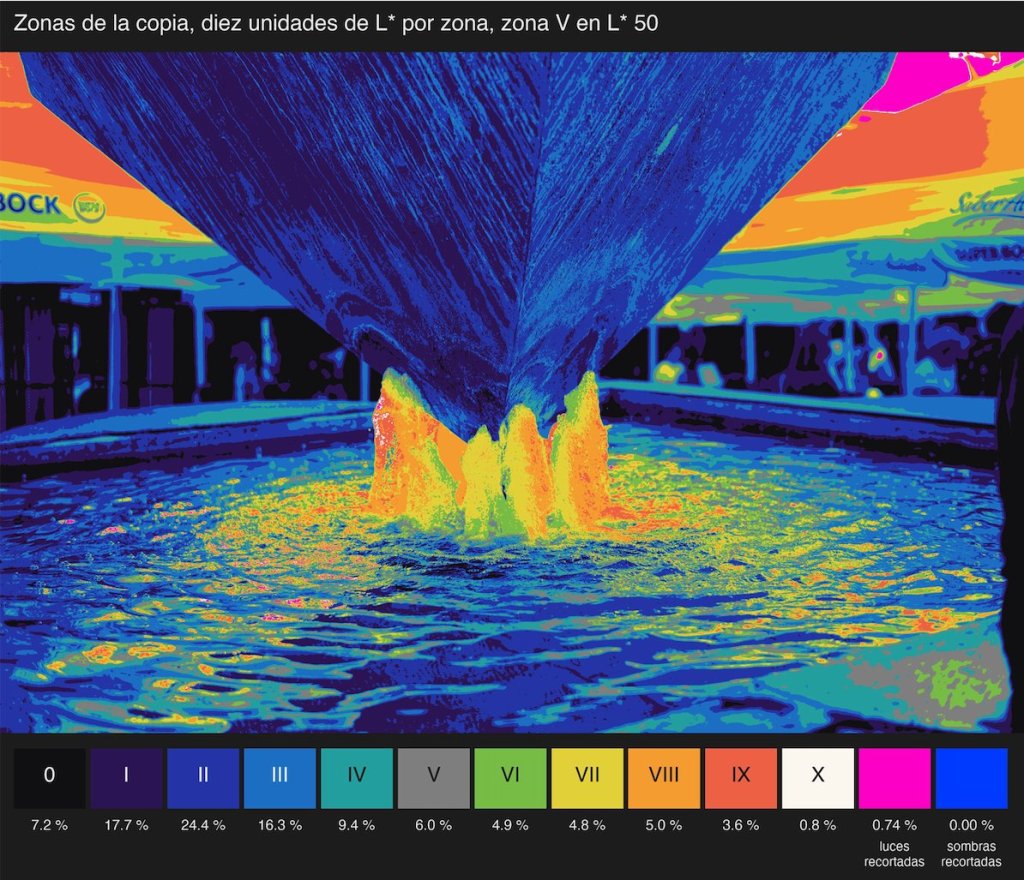
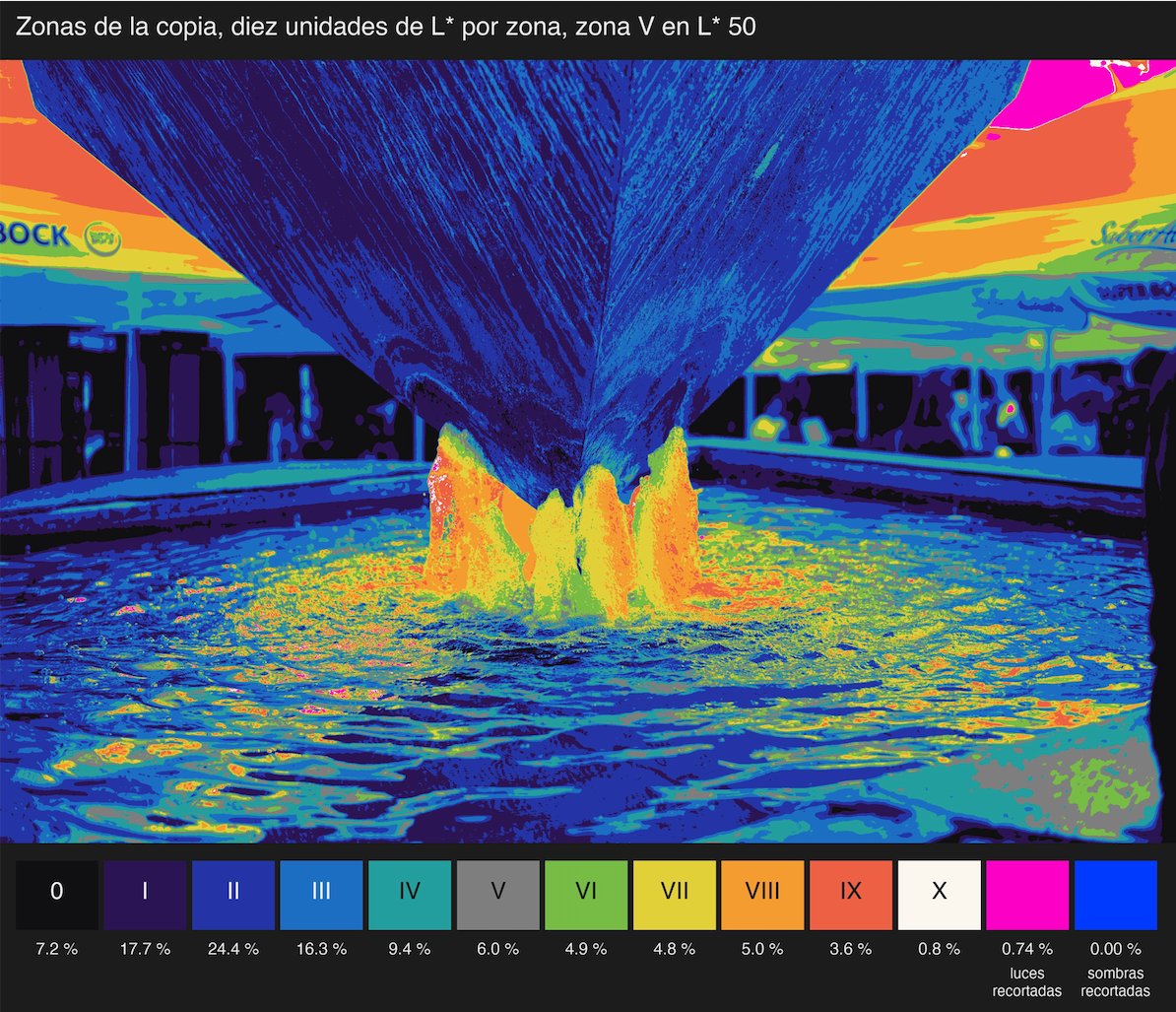
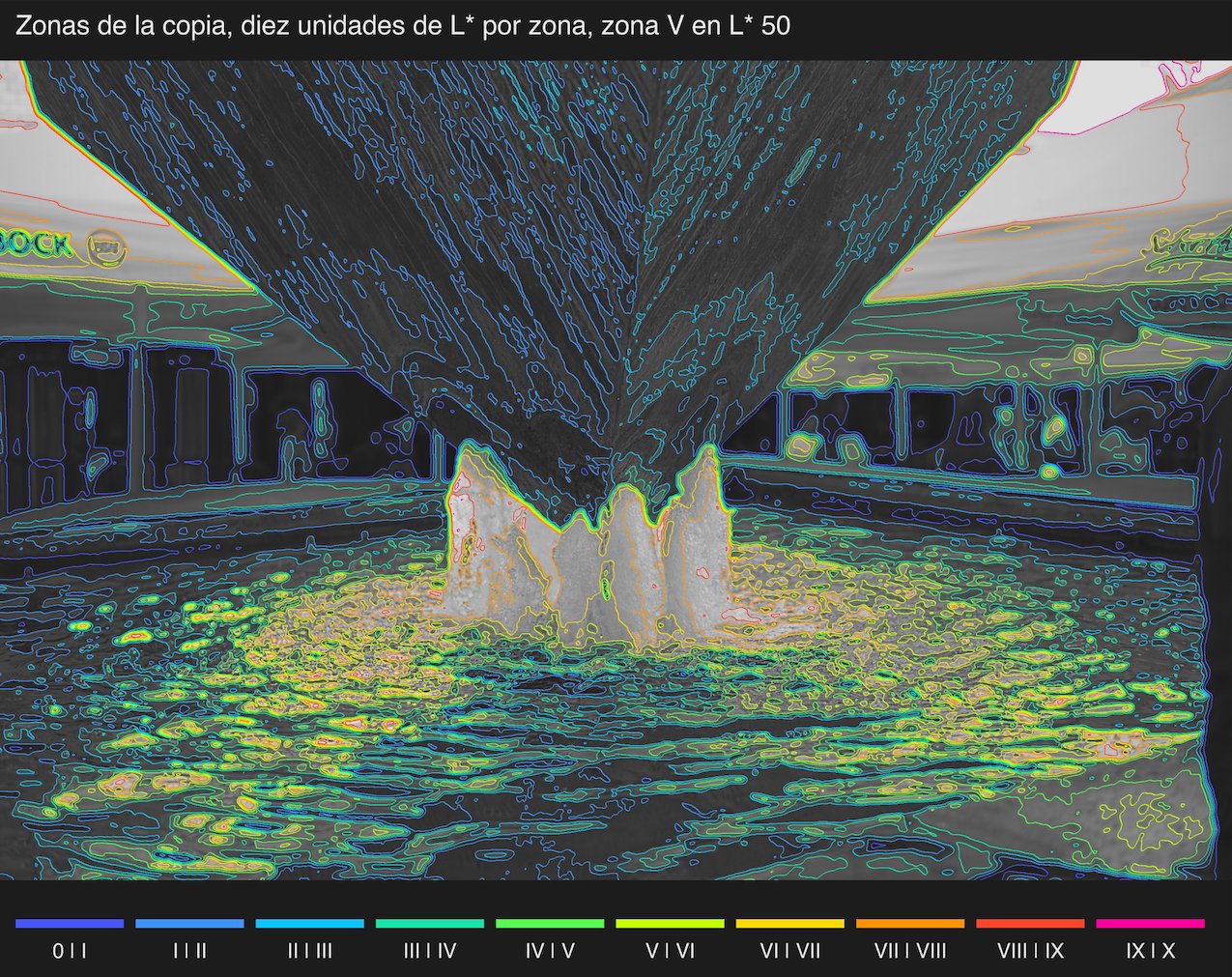
The fourth one draws the zone system of an image without changing it. It produces two images that open in Preview. The first is a false colour map with a legend giving the percentage of the area in each zone; zone V is a neutral grey, so that middle grey is recognised at a glance, and clipped highlights and shadows are marked separately in magenta and blue. The second is the grey image with the boundaries between zones drawn as contour lines, one colour per boundary.
It has three modes. The print mode reads the image as developed and spreads the zones in equal steps of lightness, ten units of L* per zone between black (zone 0) and white (zone X). With that spacing zone V falls at L* 50, which corresponds to an 18 % reflectance, middle grey. The scene mode is a light meter reading: the script exports in linear light, with the exposure lowered three stops so as not to clip the high zones, and assigns one stop per zone with middle grey in zone V. The third mode inverts a modelled print of Tri-X in D-76 on Multigrade IV at grade 2: it tells you in which zone of the scene each tone should have been exposed to get it on that print, and shows how much that system compresses highlights and shadows.
For the fountain in the pictures, the map says that two thirds of the area lie between zones 0 and III, with the bronze in zones I and II, that the lit water runs from zone VI to IX and that only 0.74 % is clipped, on the awning at the top right. The contour lines are what you use to plan dodging and burning: if I want to lift the bronze by one zone so that its texture reads, the line between II and III draws the mask for me. (The labels in these two images are in Spanish; the tool writes them in the language of the dialogs.)
Installation
The installer copies the programs, installs the Python libraries they need (numpy, tifffile, Pillow and OpenCV), compiles the four AppleScripts into the Capture One scripts folder and checks that everything responds. The dialogs follow the language of macOS, English or Spanish. The programs also run from the Terminal, without Capture One, on any TIFF, JPEG or PNG. The repository has the full guide: how to use each tool, where the files end up, known problems and how to uninstall.
The film models are explained in the manual on classic films as ICC profiles, and the theory of long exposure in the lab tool and its manual.


Deja una respuesta